Learning the Excitebike Tape Format to Make Dumb Trax
So I found myself wanting to add previews for Excitebike tracks to my Family Basic Tape tool. I assumed the level format would be documented online somewhere, but I wasn't able to find it.
And that's how I found myself spending New Year's Eve watching episodes of The Twilight Zone while figuring out the track format for Excitebike.
To be specific, I was interested in how it stores the level data used by the game's built-in track editor. I would be surprised if the game's built-in tracks use a different format, but I haven't checked.
For those unfamiliar with the game's track editor, it presents you with a list of track items using letters A through S. So you pick a letter to place an item, the track advances, and then you pick another piece. You can also advance forward without placing items to give the track a bit of breathing room. When you are done, you pick the "END" item to place the finish line. Finally, you pick the number of laps, and then it kicks you out of the editor.
Once you are out of the editor you can play the track by yourself or against some CPU racers. There are also SAVE and LOAD options. For NES gamers, these didn't do anything useful, since the NES had no way to access a tape deck. But on the Famicom, if you had the Family Basic keyboard, you could save your track to tape, or load a track that you had previously saved.
Numbers with Letters
Throughout this article, I am going to be using numbers in hexadecimal format. I may prefix them with 0x like 0x0f, or I might not. But just keep in mind if I write something like 21 that I am referring to the hexadecimal 21 and not decimal 21.
If you don't know how to read or think in hexadecimal, think of it like this. If you have 2 hands, 5 fingers on each, and you know the first is 1 and the last is 10, then you count them 1 2 3 4 5, 6 7 8 9 10. Now if you imagine you have 8 fingers on each hand, you count them 1 2 3 4 5 6 7 8, 9 a b c d e f 10. So you still count 1 to 10, you just need to use letters after 9 until you reach 10.
Track Items
I went into this figuring the level format was just storing some byte value for these A through S parts, plus some way of handling the space between them, finish line, number of laps, etc. So what I did was make a short, simple track with some repeating parts, so that it would hopefully be easy to spot the same patterns in the track's hex dump.

So that's four A items, a gap, four B items, a gap, then alternating A and B items, a small gap, and the end. And I did this one with four laps. I saved it to a tape file in the emulator, then ran that through FBTT to get the following hex dump:
0000  04 40 40 08 40 02 08 40  02 08 40 02 08 40 0F 07  |.@@.@..@..@..@..|
0010  40 02 07 40 02 07 40 02  07 40 11 08 40 02 07 40  |@..@..@..@..@..@|
0020  02 08 40 02 07 40 02 08  40 02 07 40 0D 09 40 40  |..@..@..@..@..@@|
0030  40 40 40 40 40 40 40 40  40 40 40 40 40 40 40 40  |@@@@@@@@@@@@@@@@|
0040  40 40 40 40 40 40 40 40  40 40 40 40 40 40 40 40  |@@@@@@@@@@@@@@@@|
0050  40 40 40 40 40 40 40 40  40 40 40 40 40 40 40 40  |@@@@@@@@@@@@@@@@|
0060  40 40 40 40 40 40 40 40  40 40 40 40 40 40 40 40  |@@@@@@@@@@@@@@@@|
0070  40 40 40 40 40 40 40 40  40 40 40 40 40 40 40 40  |@@@@@@@@@@@@@@@@|
0080  40 40 40 40 40 40 40 40  40 40 40 40 40 40 40 40  |@@@@@@@@@@@@@@@@|
0090  40 40 40 40 40 40 40 40  40 40 40 40 40 40 40 40  |@@@@@@@@@@@@@@@@|
00A0  40 40 40 40 40 40 40 40  40 40 40 40 40 40 40 40  |@@@@@@@@@@@@@@@@|
00B0  40 40 40 40 40 40 40 40  40 40 40 40 40 40 40 40  |@@@@@@@@@@@@@@@@|
00C0  40 40 40 40 40 40 40 40  40 40 40 40 40 40 40 09  |@@@@@@@@@@@@@@@.|
00D0  00 00 00 00 00 00 00 00  00 00 00 00 00 00 00 00  |................|
00E0  00 00 00 00 00 00 00 00  00 00 00 00 00 00 00 00  |................|
00F0  00 00 00 00 00 00 00 00  00 00 00 00 00 00 00 00  |................|
0100  E6 00                                             |..|
So what we see is a lot of 40's, and then some other bytes scattered throughout. Looking for our pattern, though, we can see 08 gets referenced four times, then 07 is referenced four times, then 08 and 07 alternating three times. (There are other bytes inbetween them, but these are the ones that match our pattern). Seems pretty safe to say that 08 is A and 07 is B.
What about these 40's and other bytes? Takes a bit of deduction, but we can see the pair of bytes 40 02 used over and over. Crucially, these are only inbetween the items making up our three sets (so each of our 08's are spaced out with 40 02). Then between each of our three groups, we have 40 followed by a larger number. Maybe you see where this is going? The 40's are used to insert spaces betwteen the items. Saying 40 02 means "place two blank tiles". Saying 40 0F means "place fifteen (0F) blank tiles".
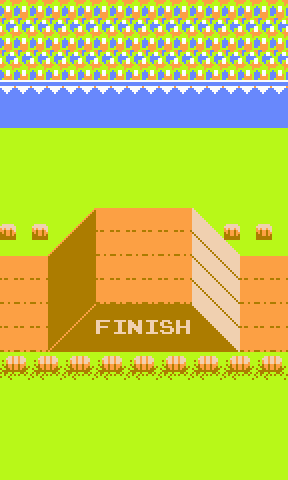
So now we know what A and B items look like, and we know how to add space between things. We also see that the editor inserts small gaps between the items we pick. The longer gaps are ones that I told the game's editor to include, but the small gaps were automatic and not optional. We can also see that there's an 09 where I placed the "END" item, so seems logical that 09 is the end/finish item.
The next logical step, to me, is to map out the rest of the items. To do this, I made a track that had one of each track item, with no additional gaps. That track looks like this:

I saved that to tape in the emulator, then loaded it up in FBTT to see what the level data looked like. Here is the hex dump:
0000  03 40 40 08 40 02 07 40  02 05 40 02 01 40 02 0B  |.@@.@..@..@..@..|
0010  40 02 06 40 02 0A 40 02  0E 40 02 03 40 02 04 40  |@..@..@..@..@..@|
0020  02 0C 40 02 0D 40 02 0F  40 02 10 40 02 12 42 17  |..@..@..@..@..B.|
0030  19 40 02 13 43 17 1B 40  02 11 46 0A 17 40 02 15  |.@..C..@..F..@..|
0040  41 06 21 45 06 23 40 02  14 44 03 1E 44 04 1E 44  |A.!E.#@..D..D..D|
0050  04 1F 1B 40 02 09 40 40  40 40 40 40 40 40 40 40  |...@..@@@@@@@@@@|
0060  40 40 40 40 40 40 40 40  40 40 40 40 40 40 40 40  |@@@@@@@@@@@@@@@@|
0070  40 40 40 40 40 40 40 40  40 40 40 40 40 40 40 40  |@@@@@@@@@@@@@@@@|
0080  40 40 40 40 40 40 40 40  40 40 40 40 40 40 40 40  |@@@@@@@@@@@@@@@@|
0090  40 40 40 40 40 40 40 40  40 40 40 40 40 40 40 40  |@@@@@@@@@@@@@@@@|
00A0  40 40 40 40 40 40 40 40  40 40 40 40 40 40 40 40  |@@@@@@@@@@@@@@@@|
00B0  40 40 40 40 40 40 40 40  40 40 40 40 40 40 40 40  |@@@@@@@@@@@@@@@@|
00C0  40 40 40 40 40 40 40 40  40 40 40 40 40 40 40 09  |@@@@@@@@@@@@@@@.|
00D0  00 00 00 00 00 00 00 00  00 00 00 00 00 00 00 00  |................|
00E0  00 00 00 00 00 00 00 00  00 00 00 00 00 00 00 00  |................|
00F0  00 00 00 00 00 00 00 00  00 00 00 00 00 00 00 00  |................|
0100  17 01                                             |..|
From here we see some familar patterns. Lots of 40 02, with individual items inbewteen. 08 is A, 07 is B, 05 is C, 01 is D, and on and on.
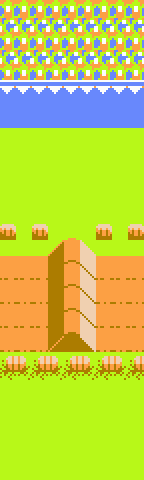
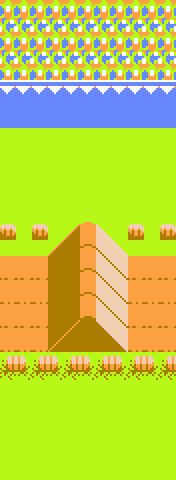
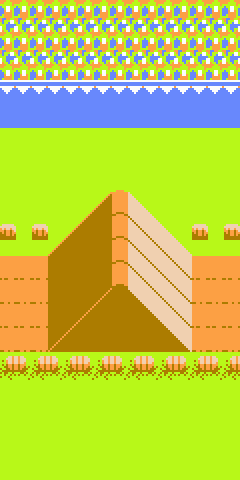
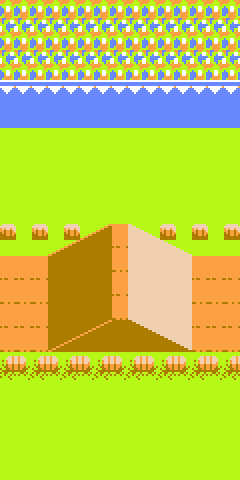
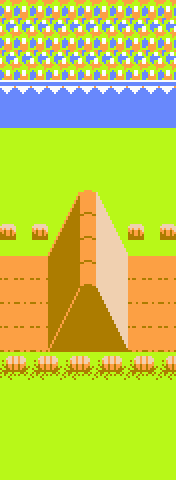
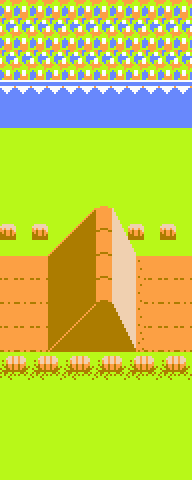
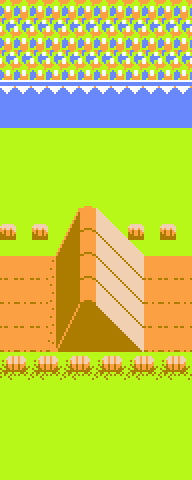
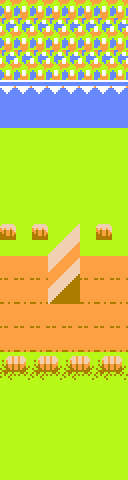
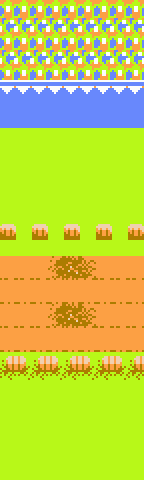
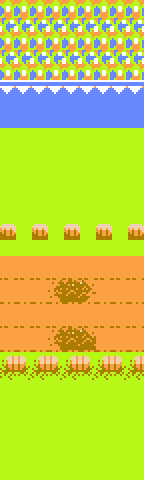
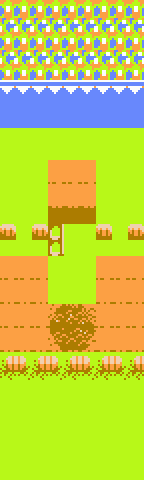
But when we get to item O, the pattern changes. We see 12 42 17 19 -- four bytes instead of just one. Now it could take some trial and error here to figure things out, but I got lucky with my assumptions and figured that anything in the 4x range probably followed the same rules as our repeating blank tiles. What is the O object? It's a two-line strip, then a bunch of grass, then another two-line strip. So what is 42 17? It's twenty three (17) lower grass sections reepeated. And 12 and 19 must be our double lines. (They look very similar, but are actually an "opening" and a "closing" set of double lines, which is why they are not represented by the same byte).
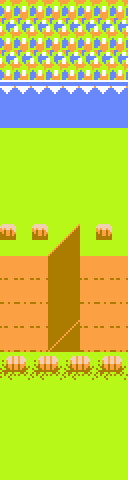
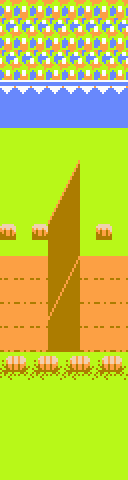
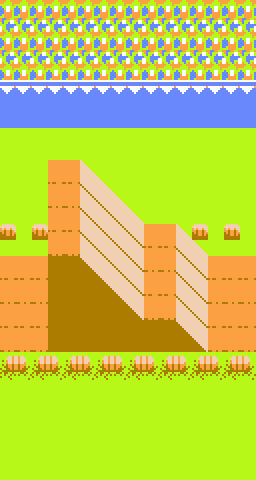
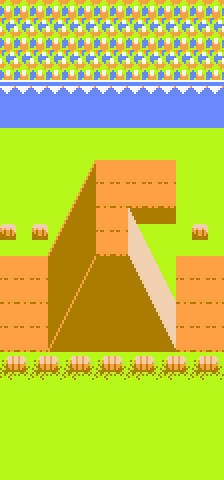
The P item look like O, but on the top half of the track instead of the bottom half. Unsurprisingly, its value 13 43 17 1B looks pretty similar. A "top" opening double line, 17 "top" grass tiles, and a "top" closing double line. The rest of our "big" items Q R and S are a bit more structurally complicated, but follow the same rules: individual bytes for non-repeating parts of their structure, and then some 4x value followed by the repeat count.
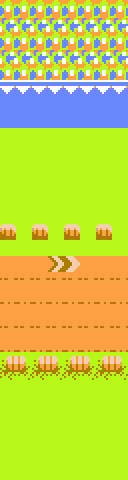
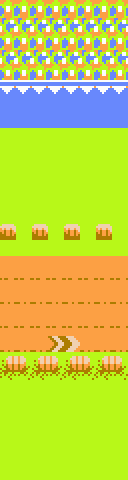
So with that, we can map out all our parts. I made this chart below for reference. The headers are the item byte, the item "letter" in parenthesis (repeated for those that have more than one byte) and the 4x "repeat" byte in square brackets if it's one of the repeating tiles.
| 08 (A) | 07 (B) | 05 (C) | 01 (D) | 0b (E) | 06 (F) | 0a (G) | 0e (H) | 03 (I) | 04 (J) | 0c (K) | 0d (L) | 0f (M) | 10 (N) | 12 (O) | 18 (O) [42] | 19 (O) | 13 (P) | 1a (P) [43] | 1b (P) | 11 (Q) | 16 (Q) [46] | 17 (Q) | 15 (R) | 20 (R) [41] | 21 (R) | 22 (R) [45] | 23 (R) | 14 (S) | 1c (S) [44] | 1e (S) | 1F (S) | 09 (END) |
|---|---|---|---|---|---|---|---|---|---|---|---|---|---|---|---|---|---|---|---|---|---|---|---|---|---|---|---|---|---|---|---|---|
 |
 |
 |
 |
 |
 |
 |
 |
 |
 |
 |
 |
 |
 |
 |
 |
 |
 |
 |
 |
 |
 |
 |
 |
 |
 |
 |
 |
 |
 |
 |
 |
 |
The Other Stuff
Now that we know all the track items, what else is there? Let me list it out:
- The first byte is the number of laps (I had used 4 laps for the first example and 3 laps for the second example, so we see 04 and 03, respectively).
- The bytes in the 00D0 through 00FF range do not seem to be used, but to be honest I didn't experiment with changing the values.
- The two bytes at 0100 are a checksum value. It is a "bit count" checksum, which is where if you were to convert the level data into binary, the checksum is the number of 1 bits used throughout the data.
- There is also a 42-byte header that I'm skipping over. It ends up being the same header for each level, as far as I can tell.
N101
When loading a level in Excitebike, once the header is read in, the screen will display the text "N101". This is actually the "filename" field of the header. It's possible to hack the header to change this string to something else, though you are limited to four characters and you have to correct the header's checksum.
Dumb Trax
So now that we know the level format that gets stored on tape, we can play with it and do some dumb things.
Can we remove those 40 02 gaps beteween items? Yup.
Can we repeat tiles a ridiculous number of times, like 46 FF? Yup.
Can we break up the big letter items and just use their indivdual pieces, like 14 or 1e? Yup.
Can we make a track without an 09 finish line? Yup.
Can we use unmapped item and repeat bytes? Yup. But the results may crash the game or, worse, just do boring stuff.
Here are a few Dumb Trax that I made:
Grass

This stage is just a bunch of grass. I shortened it for the preview, since it is otherwise too long for FBTT to render, but the version at the download link goes on for so long that the game's timer runs out and it just kicks you out of the level.
Two Roads Diverged

As a kid, I always thought the S item was really interesting and I wished it could go on for longer. Well, wish fulfilled with this one. The level is just an S item that goes on for the full length of the track.
Checkers

I dunno, I just like checkerboard patterns.
Killscreen

This one makes use of an unmapped item that renders garbage onto the end of the stage like an arcade killscreen. It also freezes up the game once you drive into it a bit.
Make Your Own Dumb Trax
Here's the step-by-step instructions for making your own dumb trax.
You are going to need access to a Famicom emulator that has data recorder abilities. I recommend Mesen2, but there are others that can do it, as well. You will also need a hex editor. I am using Okteta on Linux, but there are plenty of free options for every OS.
-
Get a base track to work with. You can download one of my levels above if you want, or you can make a level within Excitebike and then use the emulator to export it.
-
Load up the level in my Family Basic Tape Tool (make sure to choose Excitebike as the Game Type). Then export it as an MZF file.
-
Load that MZF file into your hex editor of choice and start making your edits. You can use my chart above as a reference.
-
Save your changes and then load you hacked-up track into FBTT. Note that the track preview may or may not work, depending on what changes you made, but as long as FBTT recognizes it as an Excitebike level it should be able to export it.
-
In the export options, select the "Fix Excitebike data checksum" option, otherwise your track is unlikely to actually load within Excitebike. Then export your level to whatever format your emulator is expecting.
-
Use your emultor to load your track in Excitebike. Have fun!
I suppose you could also make, like, complex and interesting and fun tracks instead of dumb ones? I haven't tried.
Thanks
Anyway, I hope this was interesting and informative. If you make some new tracks let me know over on Bluesky (ximwix).